










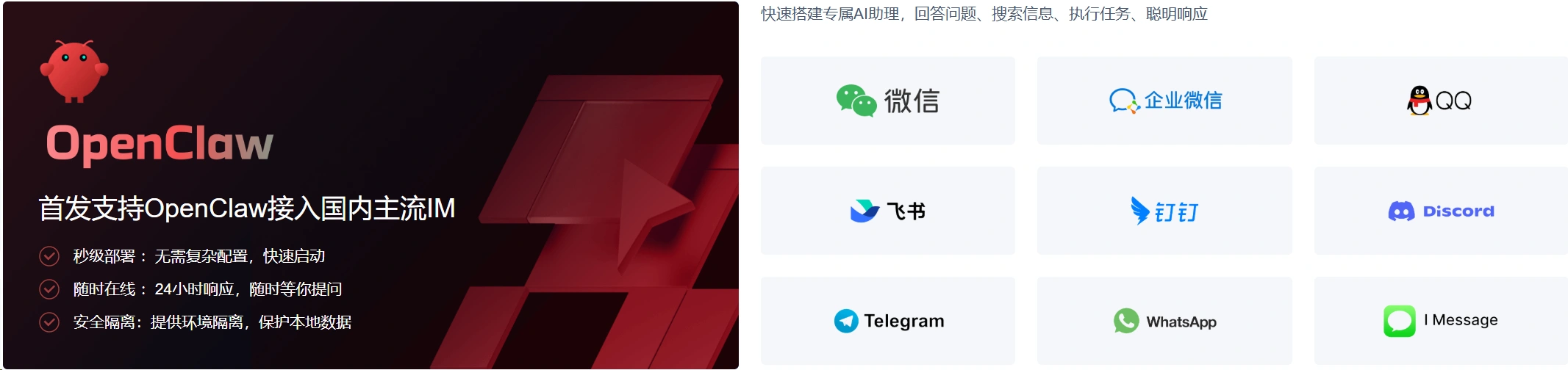
The core value of OpenClaw is not just the ability to chat, but that it serves as a self-hosted gateway that connects chat software, control interfaces, command line portals, and AI Agents to form a long-term online workflow.
Think of it as a single source of truth for session, routing, and channel connectivity to channels such as Discord, Telegram, Slack, WhatsApp, Signal, iMessage, Microsoft Teams, etc., with a browser Dashboard and TUI entry.
At present, WeChat, QQ, enterprise WeChat, Flybook, Nail and other mainstream IM APPs in mainland China have been fully supported!
The following deployment methods are supported:
- local computer deployment
The advantage is that it's quick out of the box for testing and short experiences.
The problem is that it's hard to get the service online consistently 24/7, and the AI runtime environment is mixed in with your personal files, daily software, and development tools in the same machine with average isolation.
- Cloud Server Deployment
More suitable for long-term operation. Independent instances, stable networks, and continuous online presence also make it easier to use the AI assistant as a “resident service”. Tencent Cloud also lists “always-on,” “secure and isolated,” and “fast deployment” as key advantages of this route in its OpenClaw feature page.
Option 1: One-click deployment for newly purchased servers
There are 2 things you need to prepare
- 1. Tencent Cloud Account
- Make sure you can log in to the Tencent Cloud console, first.Register for a Tencent Cloud account
- 2. Big Model API Key
- It will be used to initialize OpenClaw later, and without the API Key, the service will not be able to talk normally even after it is loaded.
- For example, Qwen, DeepSeek, Volcano Engine, etc.
Purchase of servers
Step 1: EnterServer Purchase PageSelect OpenClaw template
In the mirror or application template, find the OpenClaw。
Attention:
Here's what to pick OpenClaw Application TemplateIt is not a normal Ubuntu system image.
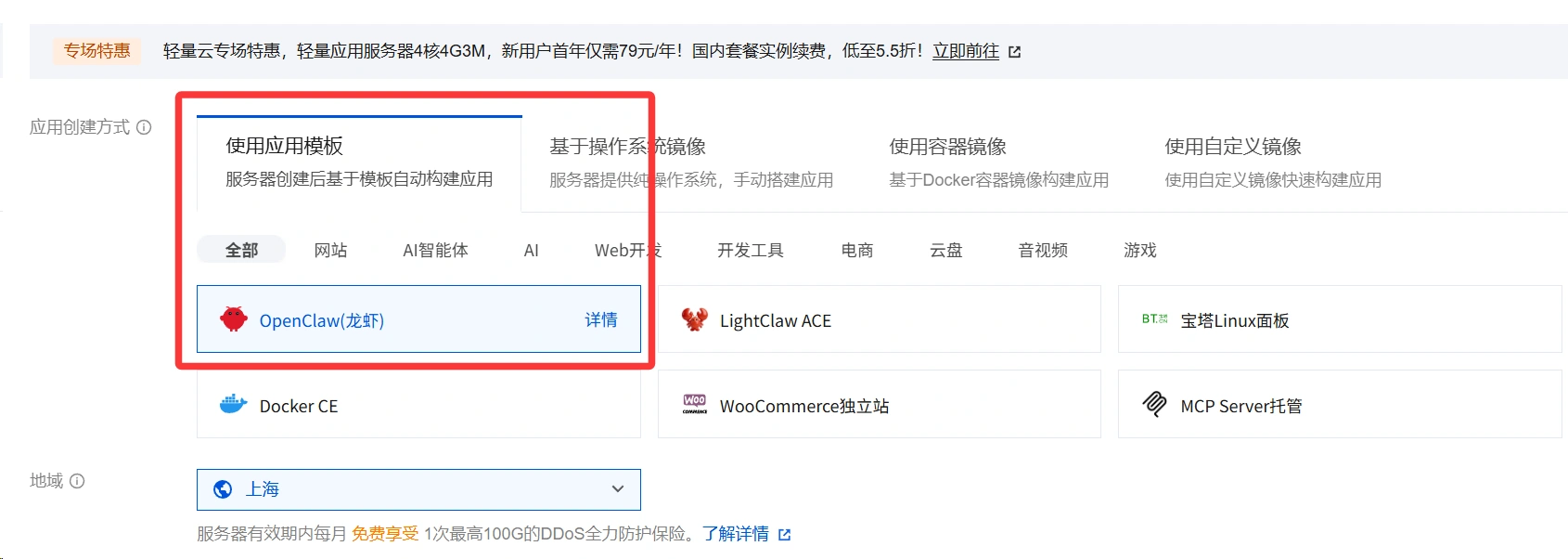
draw attention to sth.
Direct access toTencent Cloud Purchase PageYou can also go to the Tencent Cloud event page to purchase.
We recommend going to the event page to purchase the discounted model.
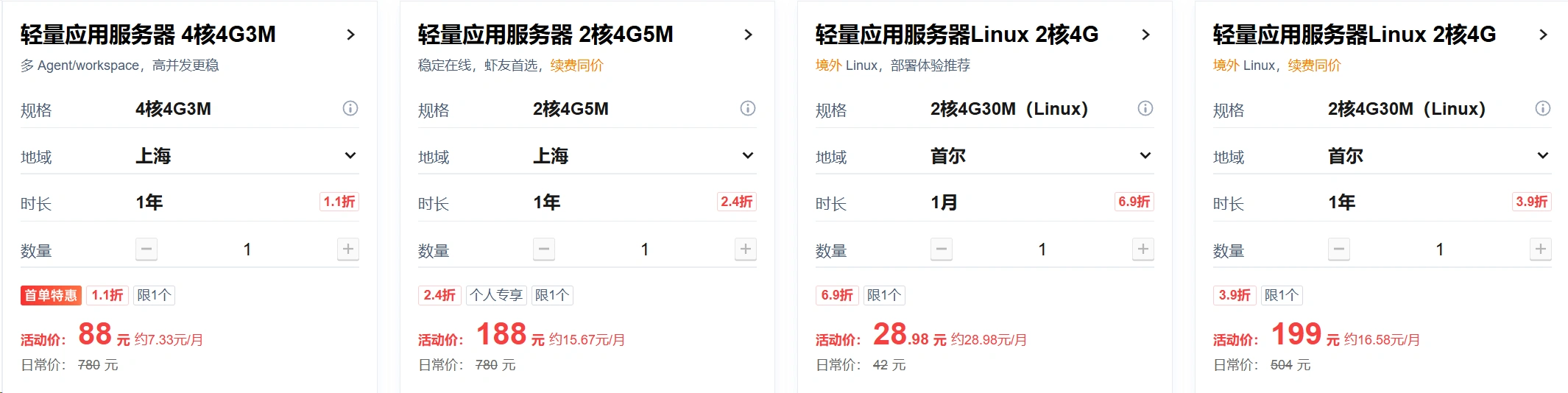
Event Address:https://www.webaiplanet.com/tolink/tencentcloud-china/
Step 2: Select Server Configuration
Open Tencent Cloud Lightweight Application Server Lighthouse Purchase page.
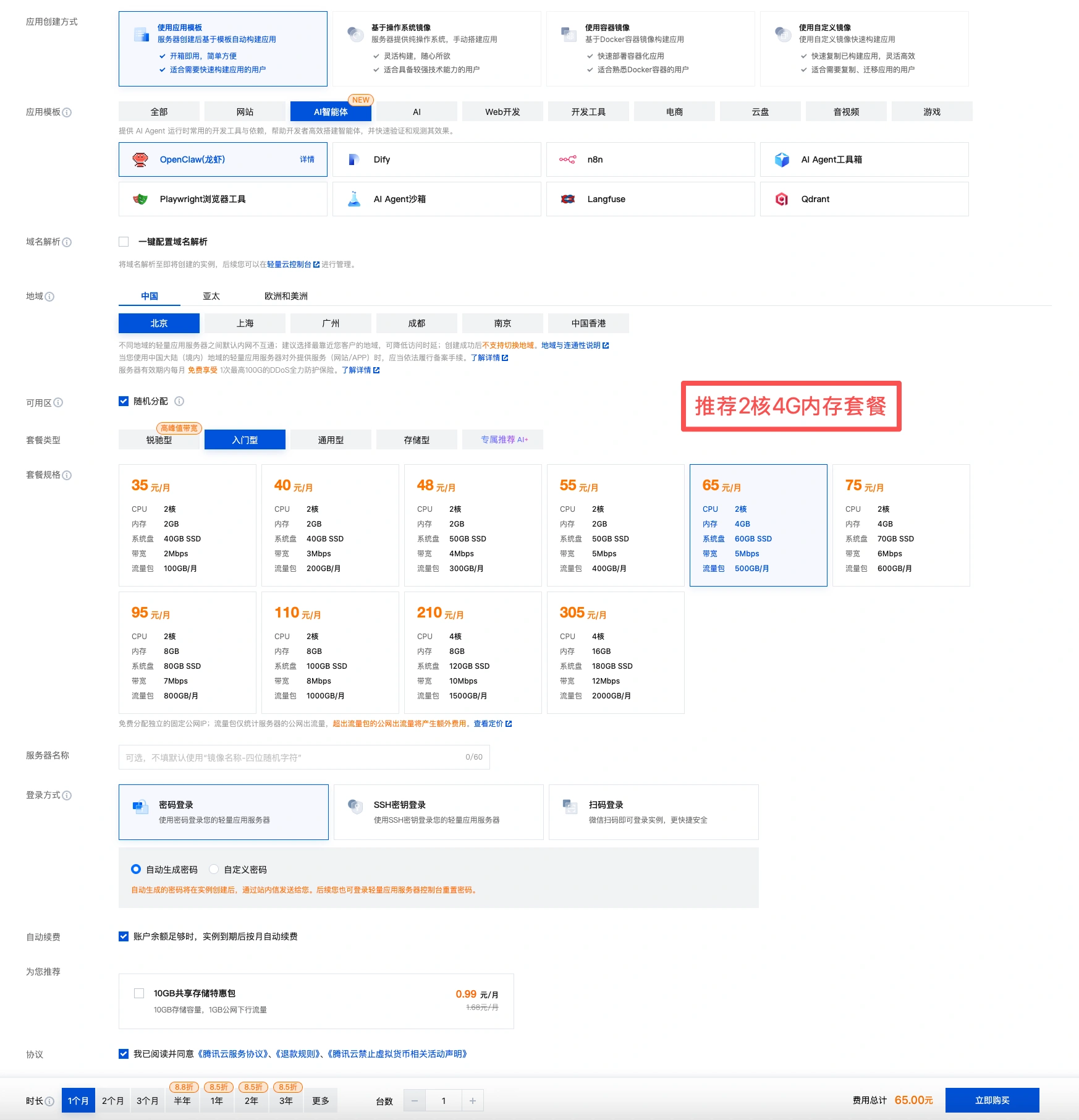
Recommended 2-core 4G, if just normal chatting, 2-core 2G is fine.
Step 3: Select Package and Purchase
For the first time, just select the entry configuration first.
Run through the process first, then upgrade later if you don't have enough.
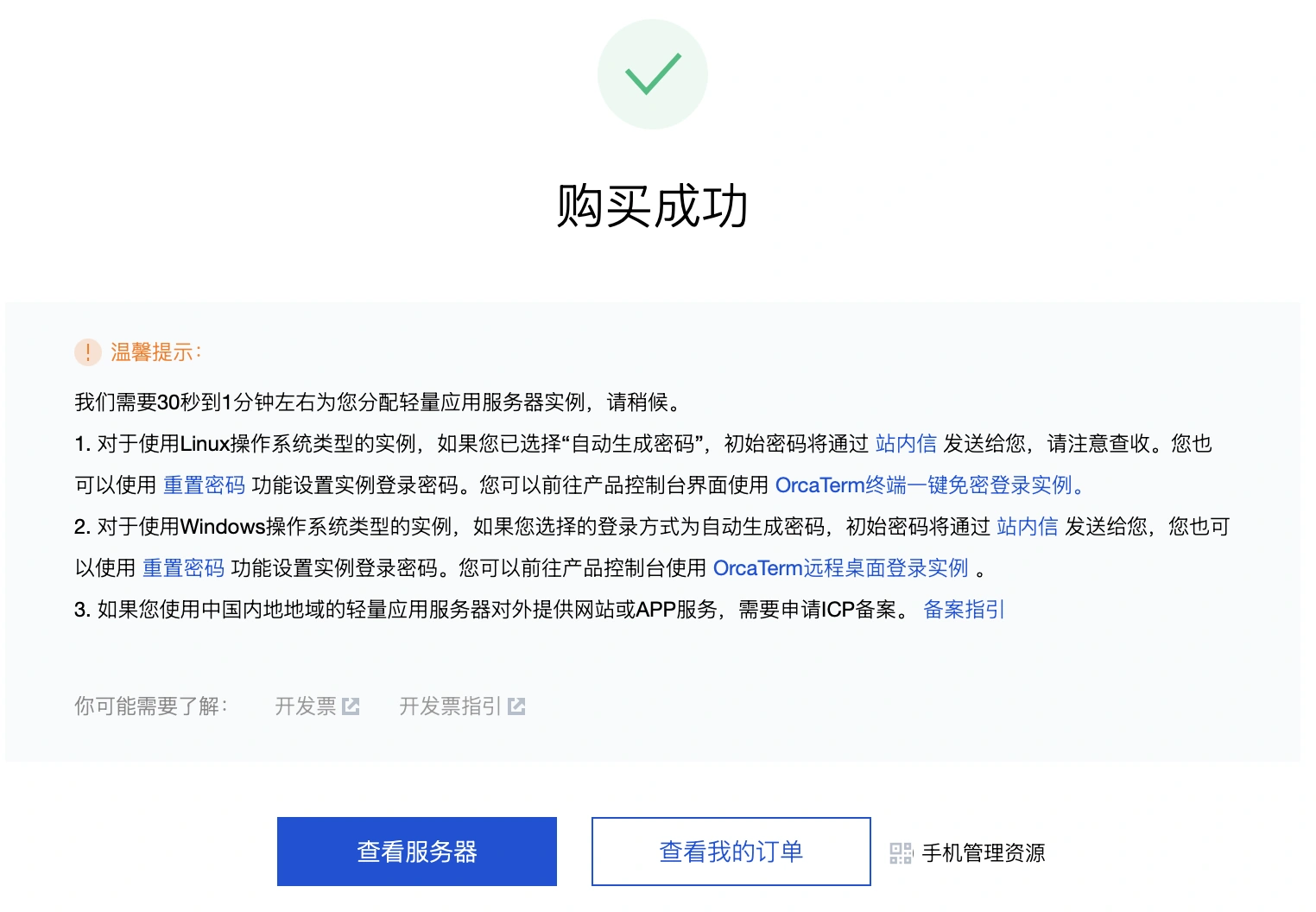
Step 4: View the OpenClaw Application
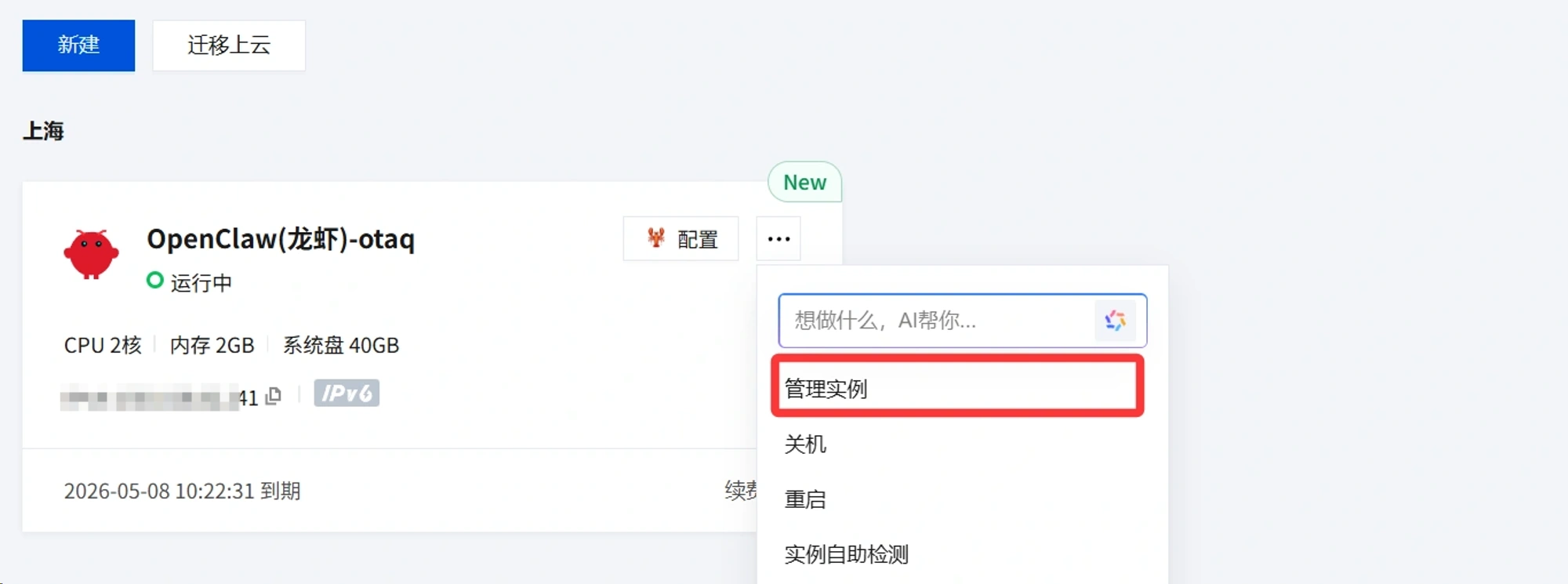
In the server list click next to Server Configurationthree-pointOr clickconfigureGo to Server Management
Option 2: One-click deployment on existing servers
If you already have a server under your account and want to deploy through an existing server, you can also implement one-click deployment.
Step 1: Reinstall the system
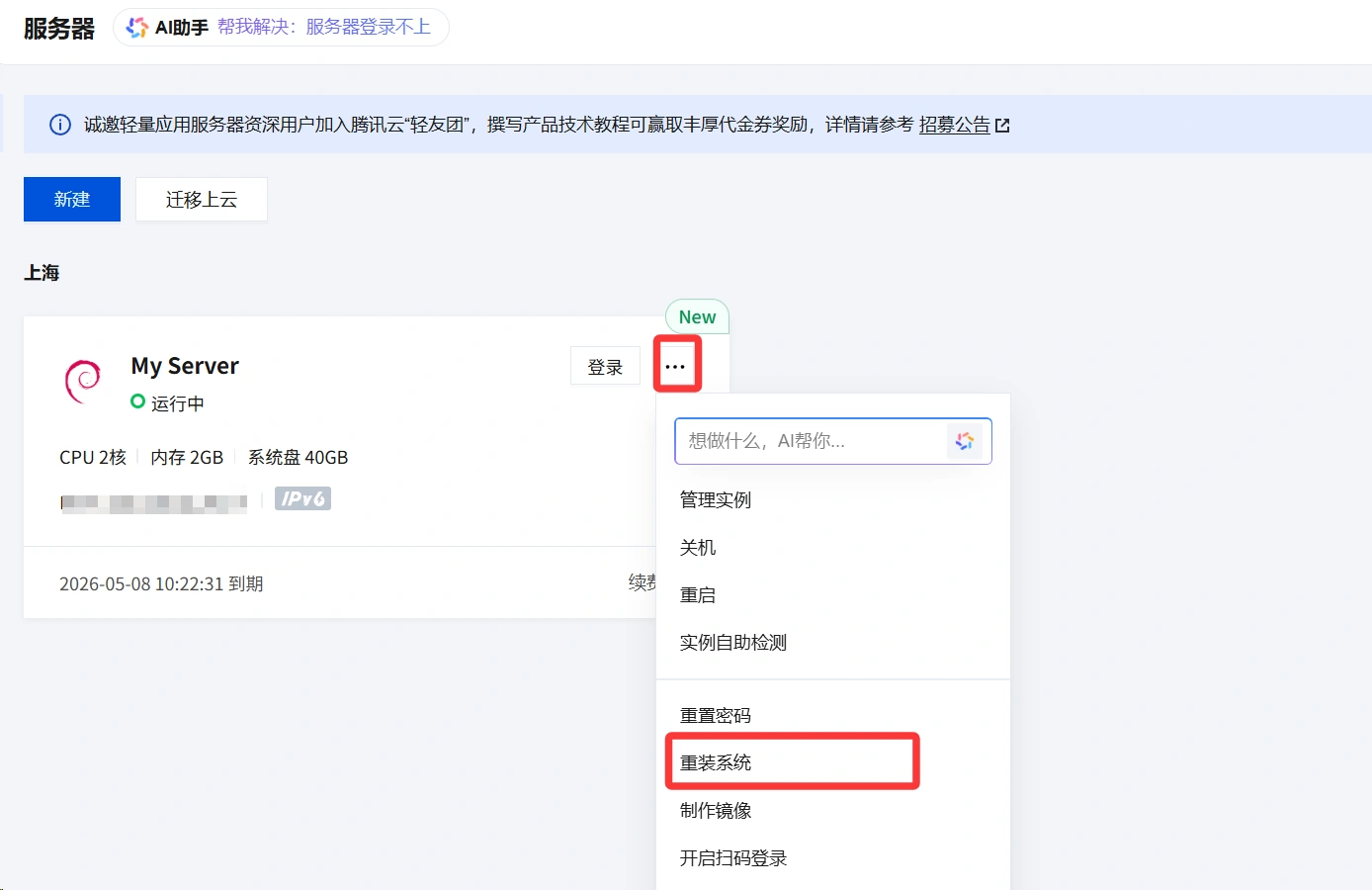
go intoTencent Cloud China ConsoleIf you want to reinstall your system, find the list of servers, click the three dots next to the server login, and then click Reinstall System.
Step 2: Select a template
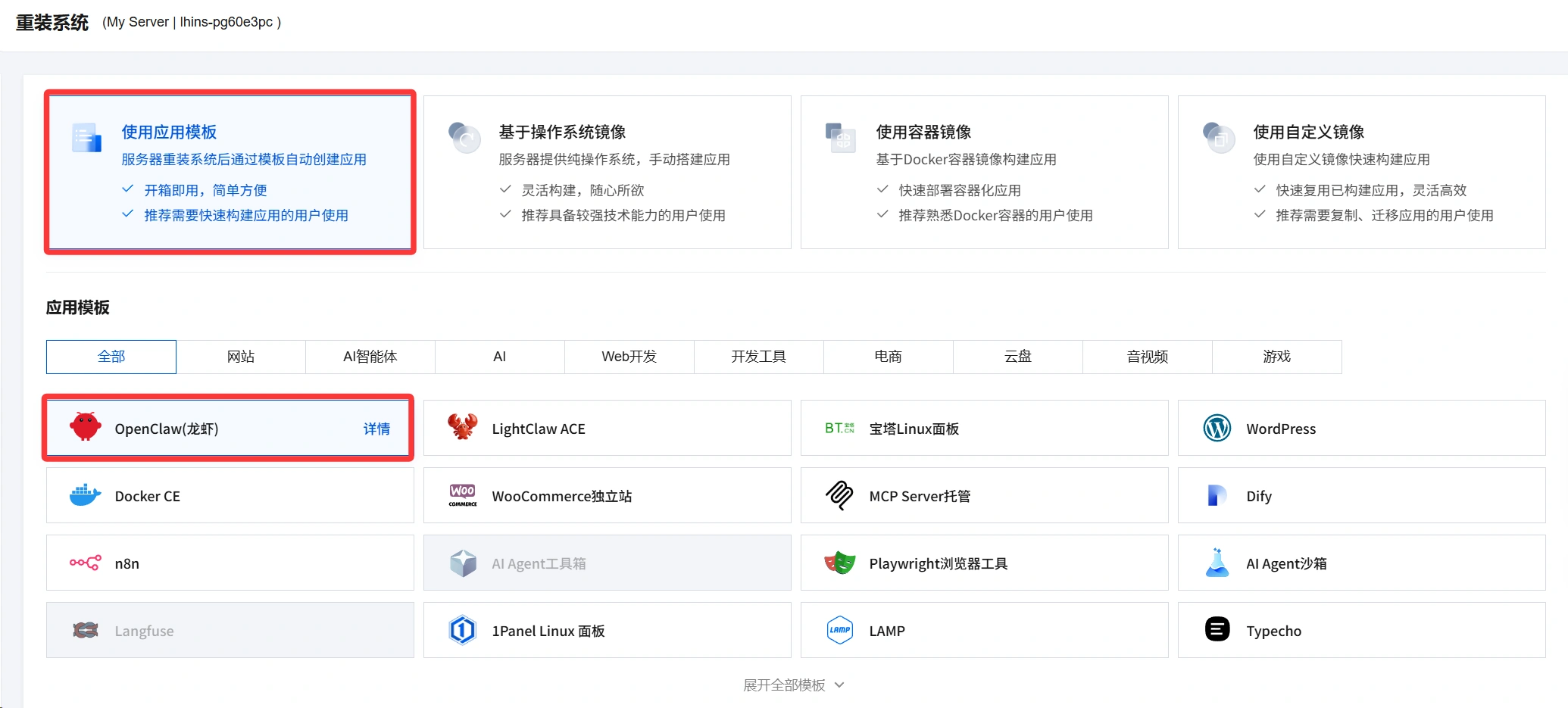
Select the application template at the top and OpenClaw (Lobster) at the bottom.
Finally click OK to start reinstalling the system
take note of
If you are only testing OpenClaw (Lobster) and your server data needs to be preserved, the reinstallation must be done by selecting theReinstall after backupIf you don't need the data, you can choose to reinstall without backup.
OpenClaw model configuration
Step 1: Enter Server Settings
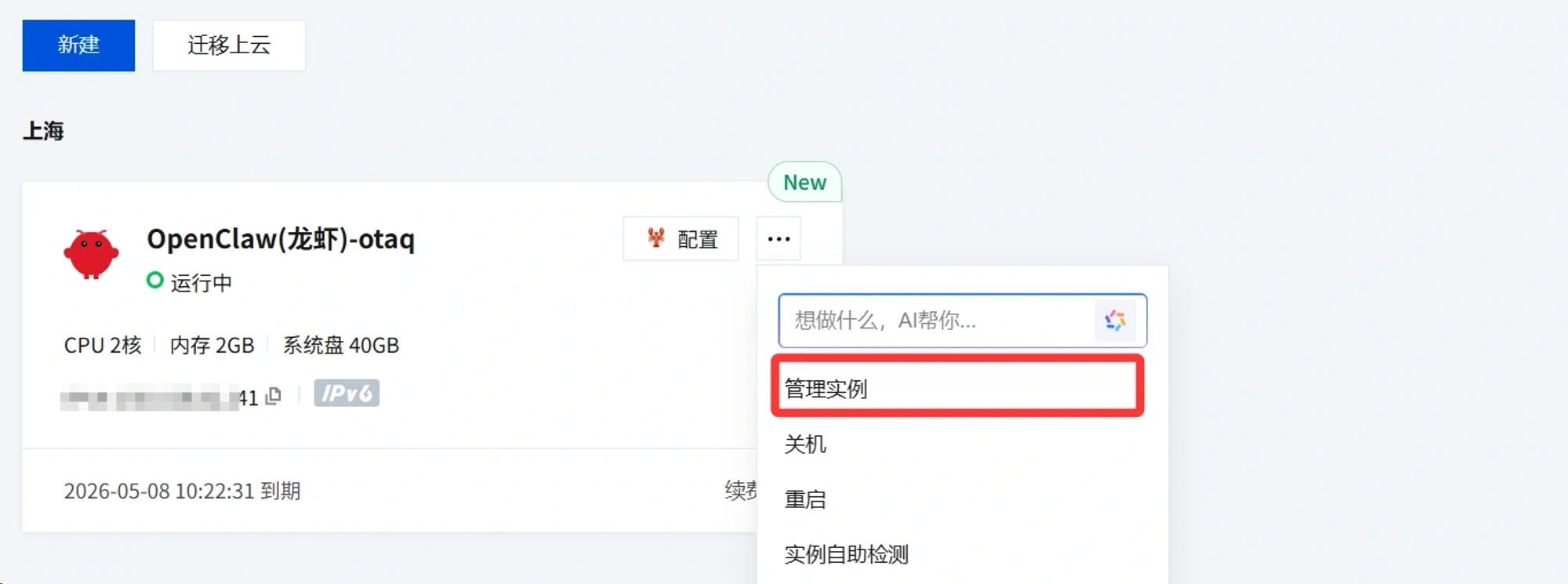
In theTencent Cloud China ConsoleFind the list of servers, click on Configure and then enter the server management settings
Step 2: Configure the model
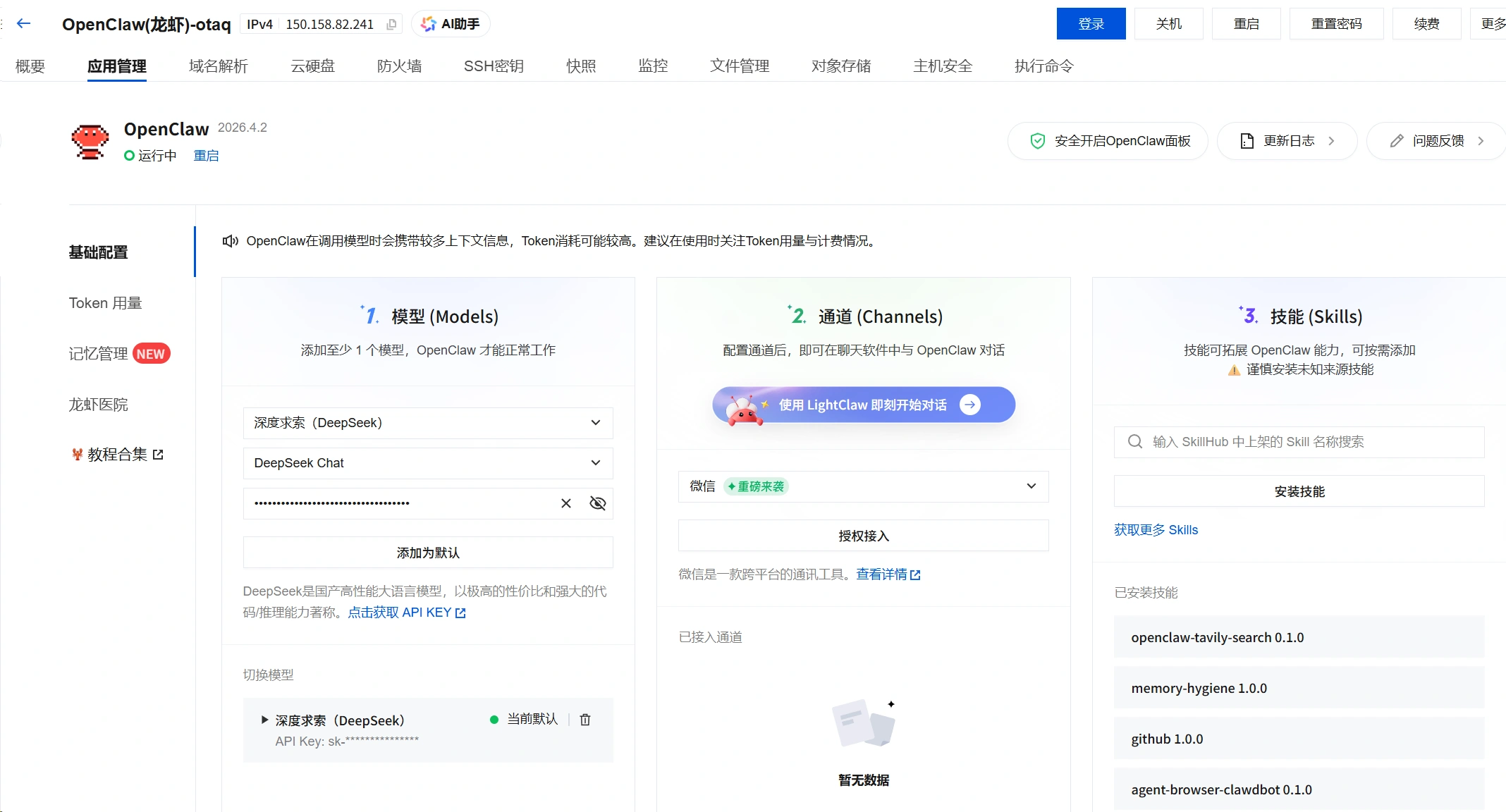
In the Model Settings, select the model you are ready to use, such as DeepSeek, select the model and fill in the API Key, and then click Add as Default.
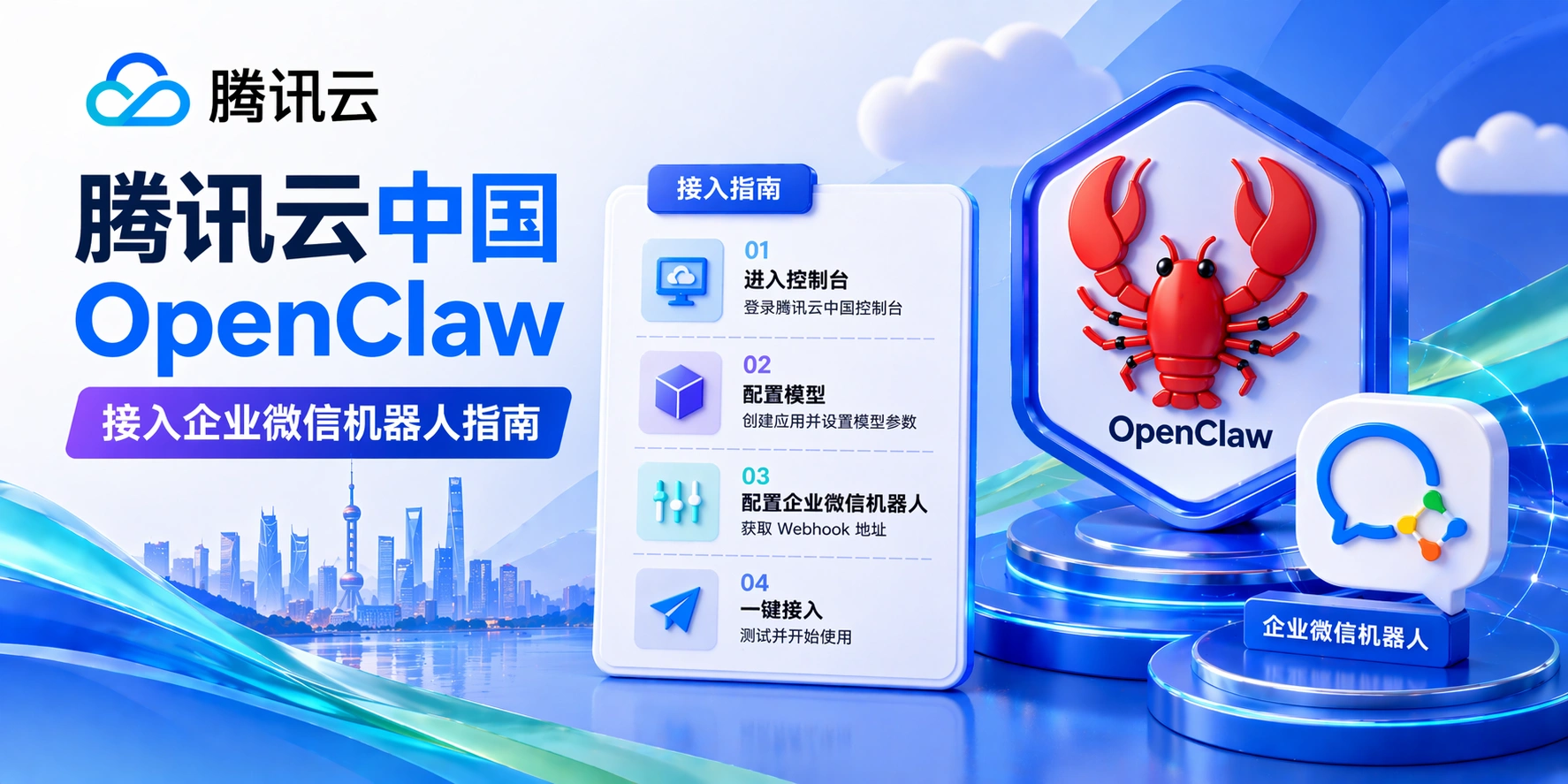
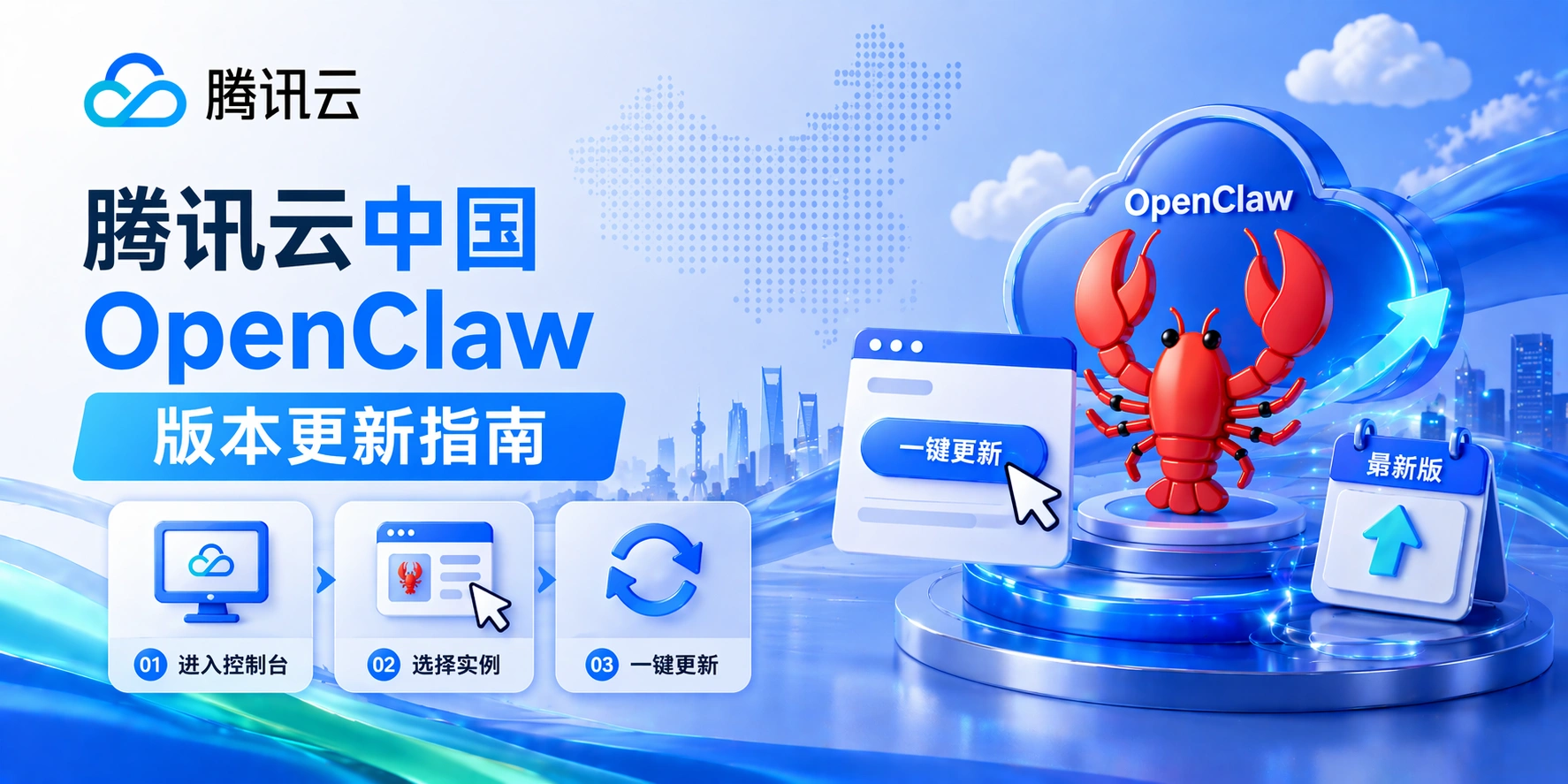
 English (UK)
  Acehnese
  Afrikaans
  Shqip
Shqip  Հայերեն
  অসমীয়া
  Aymara
  Azərbaycan dili
  Bashkir
  Euskara
  Беларуская мова
  বাংলা
বাংলা  Bhojpuri
  Bosanski
  Български
  Català
  Cebuano
  Hrvatski
  Čeština
  Dansk
Dansk  Dari
Dari  Nederlands
  Esperanto
  Eesti
Eesti  Suomi
Suomi  Français du Canada
  Galego
  ქართული
  Ελληνικά
  Guarani
  ગુજરાતી
  Haitian Creole
  Hausa
Hausa  עִבְרִית
  हिन्दी
  Magyar
  Igbo
Igbo  Bahasa Indonesia
  Italiano
  Basa Jawa
  Kapampangan
  Қазақ тілі
  Konkani
  Kurdish (Kurmanji)
  كوردی
كوردی  Кыргызча
  Latviešu valoda
  Lingala
  Lietuvių kalba
  Lombard
  Македонски јазик
  Maithili
  Malagasy
  Bahasa Melayu
  मराठी
मराठी  Монгол
  العربية المغربية
  ဗမာစာ
ဗမာစာ  नेपाली
  Pangasinan
  پښتو
پښتو  فارسی
فارسی  (فارسی (افغانستان
  Polski
  Português do Brasil
  Português
  Quechua
  Română
  Српски језик
  Sicilian
  Slovenčina
  Slovenščina
  گؤنئی آذربایجان
  Español de México
  Sundanese
  Kiswahili
  Svenska
  Tagalog
  Tajik
Tajik  தமிழ்
தமிழ்  Татар теле
  తెలుగు
  ไทย
ไทย  Tsonga
  Tswana
  Türkçe
  Turkmen
  Українська
  اردو
اردو  O‘zbekcha
  Tiếng Việt
  Wolof
Wolof  Xhosa
Xhosa  English (Australia)
  English (Canada)
  English (New Zealand)
  English (South Africa)
  Aragonés
  Nederlands (België)
  Breton
  አማርኛ
አማርኛ  ភាសាខ្មែរ
  മലയാളം
  هزاره گی
  Maori
Maori  Hornjoserbšćina
  ئۇيغۇرچە
  བོད་ཡིག
  தமிழ்
தமிழ்  Reo Tahiti
  Español de Venezuela
  Español de Uruguay
  Español de Puerto Rico
  Español de Perú
  Español de Ecuador
  Español de Costa Rica
  Maltese
  Íslenska
  Friulian
  ಕನ್ನಡ
ಕನ್ನಡ  Frysk
Frysk  Luxembourgish
  ພາສາລາວ
  Latin
Latin  Norsk bokmål
  རྫོང་ཁ
  Сахалыы
  Deutsch (Österreich)
  Taqbaylit
  Norsk nynorsk
  Occitan
  ਪੰਜਾਬੀ
  Português de Angola
  Gàidhlig
  Português (AO90)
  Irish
Irish  Sanskrit
  سرائیکی
  سنڌي
سنڌي  Dolnoserbšćina
  Ruáinga
  Español de Argentina
  Español de Chile
  Deutsch (Schweiz, Du)
  Ślōnskŏ gŏdka
  සිංහල
සිංහල  Español de República Dominicana
  Español de Guatemala
  Français de Belgique
  Español de Colombia
  Cymraeg